
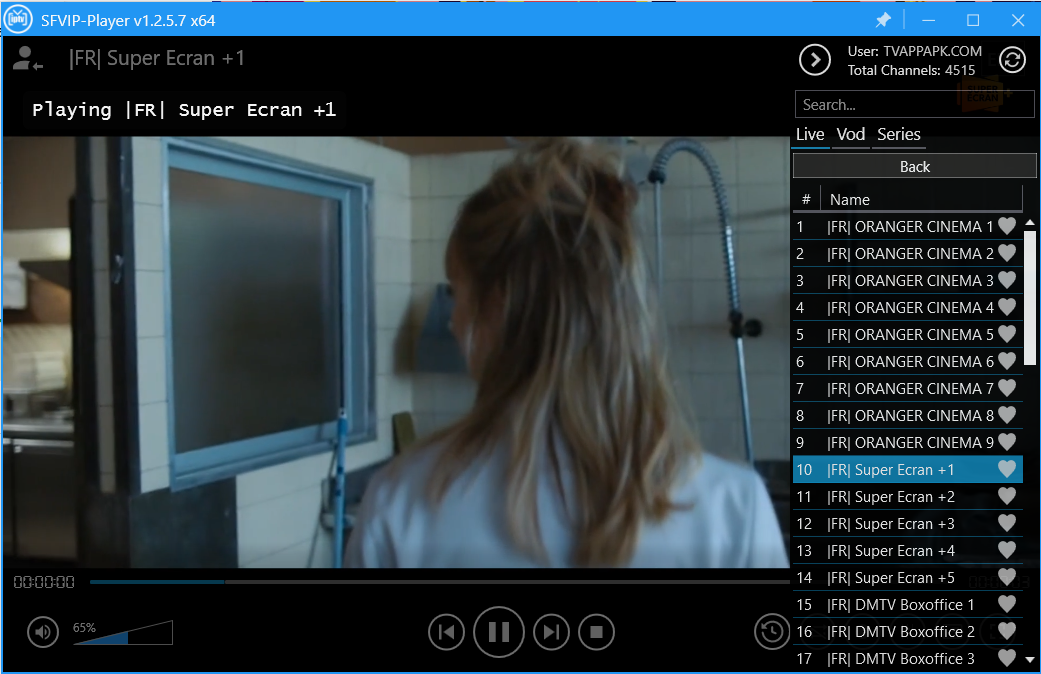
The STBEMU codes are listed below.
I just want to guide you through how to change the portal URL in the TV app you’re using. It’s very simple. As you can see, I’m already logged in, and this is a view of the Live TV main screen you would see on your TV app.
Since you are already in your TV app, let’s begin. I’m sure everyone knows how to get to the Live TV section on their Android box. Once you’re there, and if you’re already subscribed, you’ll see a screen like this.
From this point onward, it’s pretty easy. Just follow my instructions.
- Take your Android box remote and click on the menu button (the icon with three horizontal lines, often called a “grid” or “menu”).
- You will see a pop-up window on the right-hand side with a couple of options.
- Click on the very first option, which says “Settings,” by pressing the OK button on your remote.
After clicking OK, you will come to a settings screen with several options.
- Focus on the left-side panel. You will see the third option down, which says “stbemu codes Profiles.”
- Use the down arrow key to highlight “Profiles” and then press OK.
- Below “Add Profile,” you will see a rectangular box. This might be called “New Profile” or something similar. Click on that box using the OK button. (Do not click on the red “X” icon).
Once you select that profile, you will come to another screen with a few options.
- Look for “Portal Settings.”
- Press the down arrow key to go to “Portal Settings” and press OK on your remote.
Here, you will see the current portal URL that is already embedded.
- To change it, press the mouse button on your remote. Use the arrow keys to move the mouse cursor to the end of the current URL.
- Press OK to place the cursor, and then use the delete button on your remote to erase the entire existing URL.
- Now, carefully type in the new portal URL I provided you. You can use the remote’s number and letter buttons.
- Once you have finished entering the new URL, move the mouse cursor down to the “OK” button and press OK on your remote to save.
It’s as simple as that. I’m pretty sure it’s easy to understand; it’s not rocket science. Just remember to press that OK button to save your new URL so you don’t lose your changes.
That’s about it! To finish up:
- Press the mouse button again to turn off mouse mode.
- Press the back button on your remote until you return to the main screen.
- To ensure the new portal loads correctly, press the menu button again and select “Exit.” This acts like a reboot for the app.

Technology has always fascinated me. From the first time I used a computer to the latest innovations in artificial intelligence, I’ve been amazed by how fast the world around us changes. Technology isn’t just about gadgets or machines; it’s about creativity, problem-solving, and making life better for everyone.
Every new invention tells a story of human curiosity and determination. Whether it’s a smartphone that connects us instantly or a smart home device that makes daily life easier, technology reflects how far we’ve come — and how far we can still go. I love exploring new tools, apps, and systems that improve productivity and help people stay connected.
What excites me most is how technology opens endless possibilities. It allows people to learn new skills, share knowledge, and even build careers from anywhere in the world. It brings innovation to every field — education, medicine, communication, and entertainment.
For me, technology is not just a passion; it’s a way of thinking. It challenges us to find smarter, faster, and more creative solutions. I believe that those who embrace technology will always stay one step ahead in shaping the future.
Frch
Launch into the vast realm of EVE Online. Test your limits today. Fight alongside thousands of explorers worldwide.
заказать окна в Москве с консультацией по эскизам с заменой деревянных окон на пластиковые с выгодой